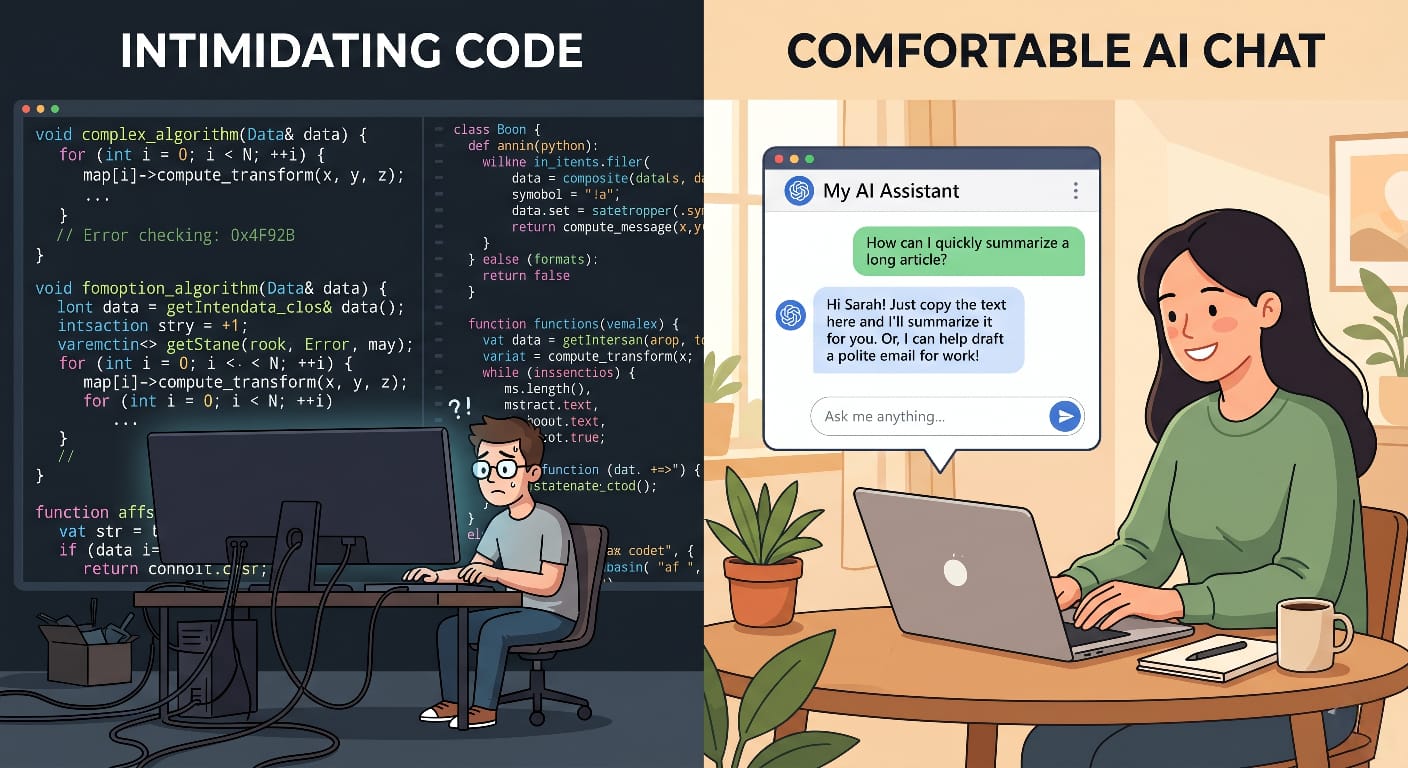
The first time I used AI, I didn’t know what an API was.
I wasn’t a developer. I had no programming background. I was just someone who kept hearing about these tools and decided to try them — with zero technical knowledge and no idea what I was doing.
Fast forward to today: I use AI to research articles, plan content, build simple tools, and run my entire workflow. Using AI without coding skills isn’t just possible — it’s how most people should start.
If you’ve been holding back because you think AI is only for developers, this article is for you.
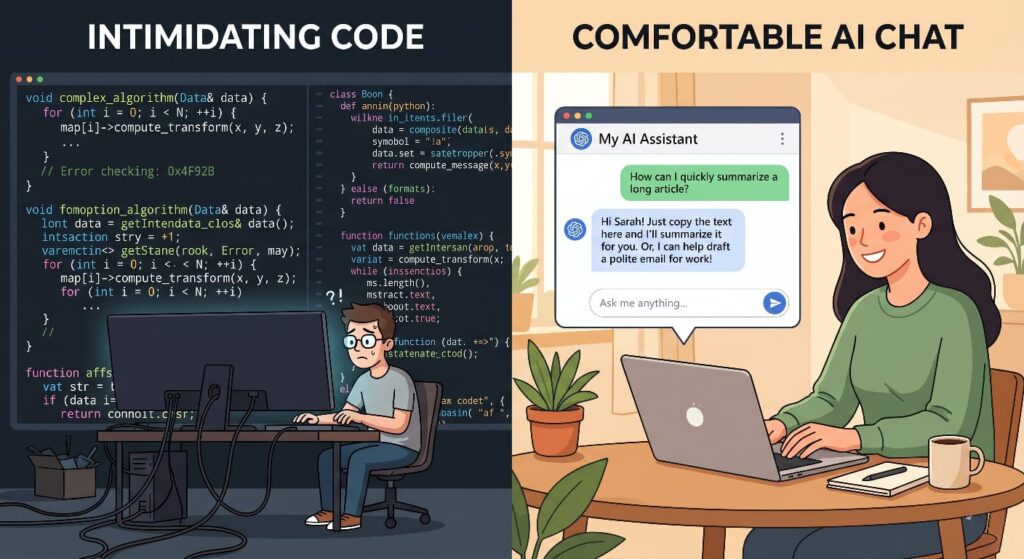
The Myth: “AI Is Only for Developers”
This is the most damaging misconception in the AI space right now. It keeps smart, capable people on the sidelines while others build real advantages — using the exact same free tools.
Why This Myth Is Wrong
Modern AI tools are designed for everyone. The interfaces are chat-based. You type what you need in plain language. The AI responds. No code required.
The companies building these tools — Google, Anthropic, OpenAI — are competing for the broadest possible user base. Making their tools accessible to non-technical users isn’t a side feature. It’s the entire product strategy.
Who Is Actually Using AI Right Now
The real user base of AI tools in 2026 looks nothing like the “developers only” stereotype:
- Content creators using AI for research, outlines, and first drafts
- Marketers using AI to write copy, analyze campaigns, and generate ideas
- Students using AI for research, summarization, and study planning
- Freelancers using AI to draft proposals, reply to clients, and manage workload
- Small business owners using AI for emails, planning, and customer communication
None of these people write code. All of them get real value from AI every day.
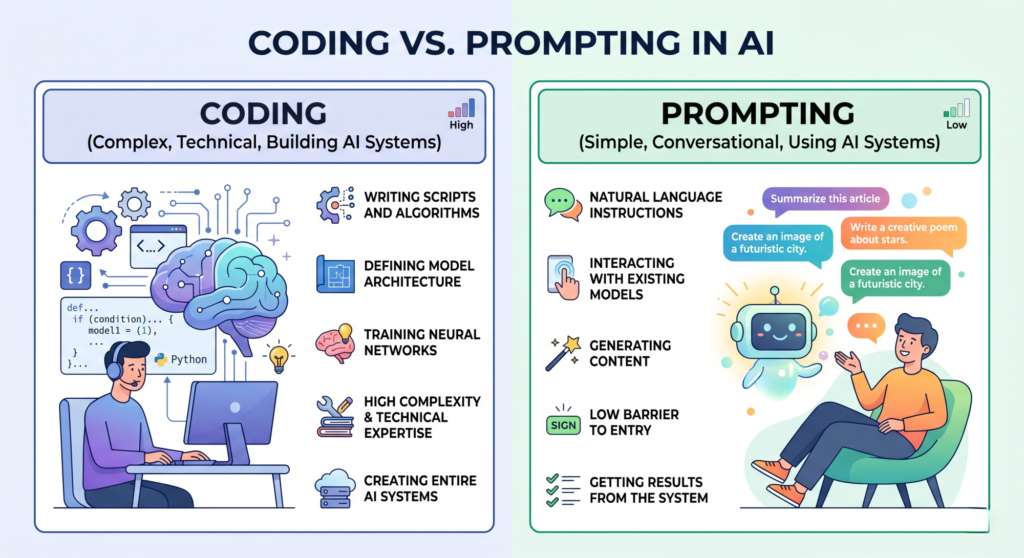
Coding vs Prompting — The Real Difference
Here’s the distinction that changes everything:
Coding = building the systems that AI runs on
Prompting = using those systems effectively to get what you need
A driver doesn’t need to understand how an engine is built to drive well. You don’t need to understand how a language model works to use it well. What you need is the skill of communicating clearly with AI — which is prompting.
Prompting is learnable. It doesn’t require a technical background. It requires clarity, practice, and a willingness to experiment.
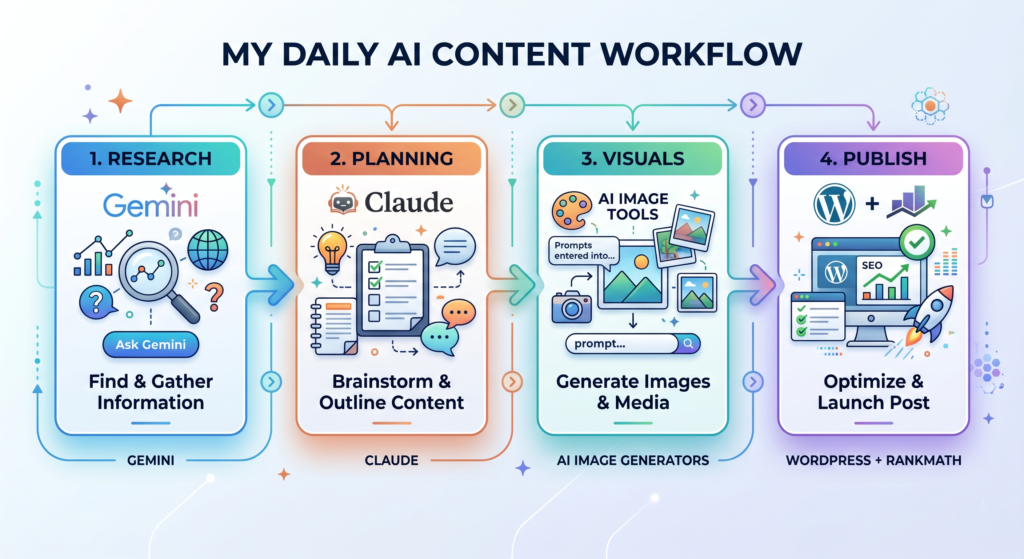
My Daily AI Workflow — No Code Involved
The best way to make this real is to show you exactly what a non-technical AI workflow looks like in practice. Here’s mine.
Morning Research — Gemini and Perplexity
Before writing or creating anything, I use AI to understand the topic deeply. I ask Gemini to summarize what’s currently being said about a subject, what questions people are asking, and what angles competitors are taking.
This used to take hours of manual research. Now it takes twenty minutes, and the output is more organized and comprehensive than what I’d find manually.
Content Planning — Claude
Once I have research, I use Claude to build structure. I give it my topic, the key points I want to make, my target audience, and the tone I want. Claude helps me organize this into a logical outline I can then write from.
The important thing: I’m still making the decisions. Which angle to take. What message I want to leave the reader with. What I’ve personally experienced. Claude handles structure and drafting. Judgment is mine.
Image Creation — DALL-E and Midjourney
I’m not a designer. I never learned Photoshop or Illustrator. But I can describe what I want in plain language, and AI image tools produce visuals that actually work.
A product image. A concept illustration. A diagram for an article. All possible without any design skills — just the ability to describe what you’re looking for clearly.
Publishing — WordPress and RankMath
Even SEO optimization — which sounds technical — is manageable with AI support. I use RankMath as my SEO plugin, and where I need help understanding what to optimize or how to write a meta description, AI explains it in plain language and drafts options I can choose from.
The result is a complete content workflow where coding appears exactly nowhere.
Free AI Tools I Use Without Any Coding
Here are the specific tools that make this workflow possible — all free or free-to-start.
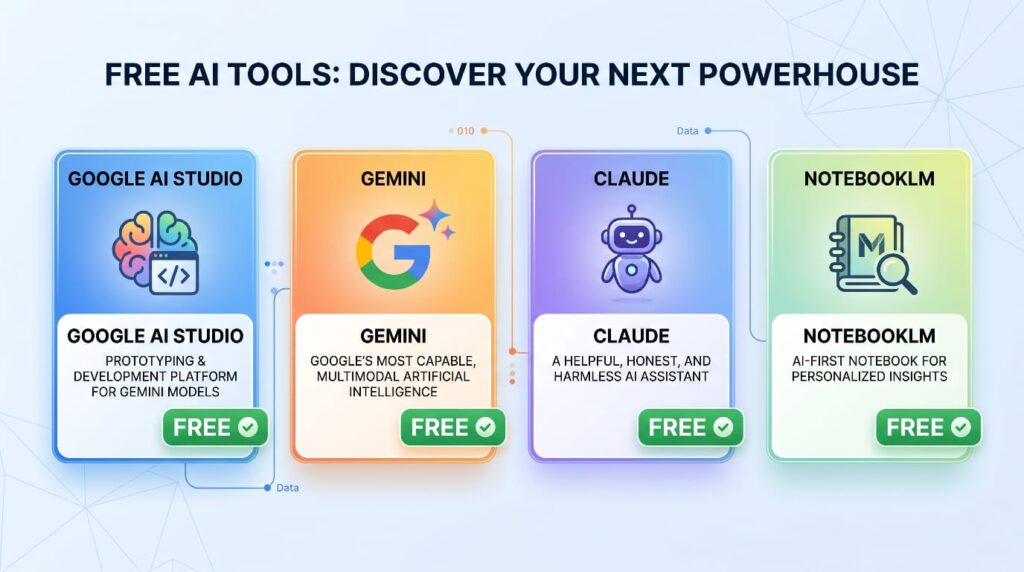
Google AI Studio — Free API Access
Google AI Studio is where you get access to Gemini’s API for free. This sounds technical, but the interface is just a chat window. You type, AI responds.
What makes it useful is the flexibility — you can test different prompts, adjust settings, and build simple tools without writing a single line of code. It’s a playground for non-technical users who want to go slightly deeper than a standard chatbot.
Gemini — Research and First Drafts
Gemini is my go-to for research and first-pass content. It has real-time web access, which means it can pull current information — not just what it was trained on.
For understanding a topic quickly, generating ideas, or getting a rough first draft to work from, Gemini handles it well.
Claude — Writing and Strategy
For longer, more structured content — articles, plans, detailed explanations — Claude produces more coherent, well-organized output. This is what I use for anything where quality of reasoning matters, not just speed.
NotebookLM — Knowledge Management
NotebookLM is Google’s AI-powered note and research tool. You upload documents, articles, or sources, and it helps you understand, summarize, and extract what you need from them.
For managing research across multiple sources without getting lost — it’s genuinely useful, and requires nothing technical to operate.
What “Using AI Without Coding” Actually Means
This is where most beginner content gets vague. Let’s be specific.
Prompting Is the Real Skill
Using AI without coding skills isn’t a compromise. It’s actually the primary way most people should use AI.
The skill that determines your results isn’t technical knowledge — it’s the ability to communicate clearly with AI. To give it the right context. To ask precise questions. To refine your prompts when the output isn’t what you needed.
This is prompting. And it’s learnable by anyone.
The Trial and Error Approach
Nobody writes perfect prompts immediately. The process looks like this:
- Write a prompt based on what you want
- Read the output and notice what’s missing or wrong
- Adjust the prompt — add context, clarify the task, specify the format
- Repeat until the output is actually useful
This loop is how you get better at AI. Not by reading guides — by doing. The improvement happens faster than you’d expect.
If you want a shortcut to prompts that already work, our free Prompt Gallery has tested prompts across categories — no signup, no paywall.
AI as a Helper — Not a Replacement for Your Thinking
Here’s the mental model that makes everything click:
AI is a capable helper. Your thinking — your judgment, your experience, your understanding of your audience or client — is what gives AI output actual value.
The best results come when you think first, then bring AI in to execute. Not when you hand AI a vague request and hope for the best.
How to Start Today — Complete Beginner Path
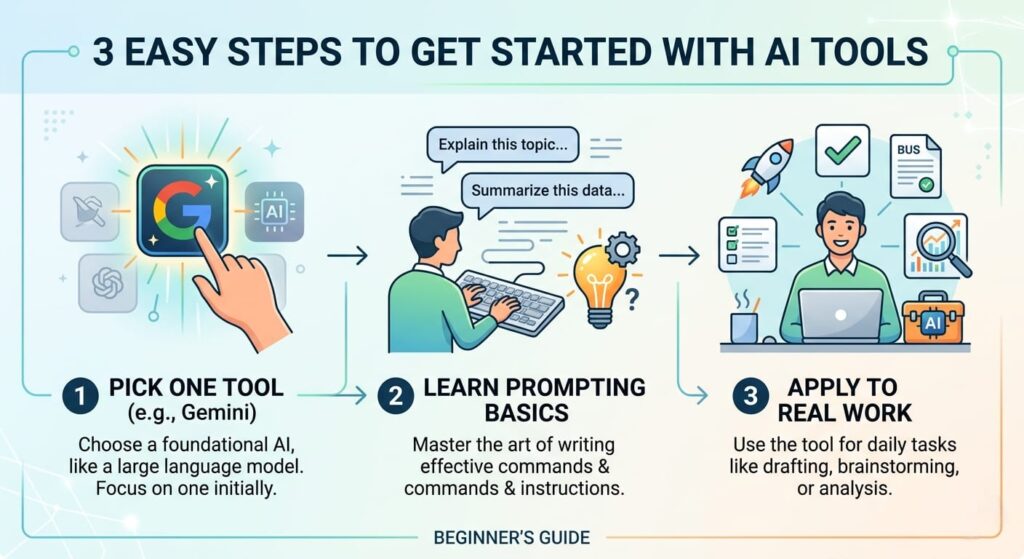
No overwhelm. No 30-day courses. Just three steps.
Step 1: Pick One Tool
Don’t try to use five AI tools at once. Pick one, learn it, build the habit.
Recommended starting point: Google Gemini (free, no technical setup) or Claude (excellent for writing and thinking). Either one works.
Step 2: Learn the Basics of Prompting
You don’t need a course. You need a framework. Here’s one that works:
- Role: Tell AI who it’s helping (“You are writing for a beginner audience”)
- Task: Be specific about what you want (“Write a 3-paragraph explanation of…”)
- Context: Give relevant background (“My audience is non-technical freelancers”)
- Format: Specify output (“Give me this as bullet points” or “Write this as a short paragraph”)
That’s it. Four elements. Apply this and your results will improve immediately.
Step 3: Apply AI to Your Actual Work
Use AI on something real this week. Not a test. Not an experiment. An actual task from your job or business.
Research for a real project. An email you need to write. A plan you’ve been putting off. Something where the output actually matters.
That’s when AI goes from “interesting technology” to “genuinely useful tool.”
Our free AI Prompt Builder is a good place to practice — build a prompt, see the output, refine it. No signup needed.
The Honest Reality
This article wouldn’t be complete without acknowledging what AI can’t do, and where you still need to show up.
Limitations That Exist
AI makes mistakes. It can present incorrect information confidently. It doesn’t know your specific context unless you give it. And it has no judgment about what actually matters in your work — only you do.
This means every important AI output needs a human review before it’s used. Especially anything that goes to clients, readers, or decision-makers. Don’t publish what you haven’t read.
What Coding Actually Adds (But Isn’t Required)
Coding gives you the ability to automate AI workflows, integrate AI into custom systems, and build tools that non-coders can then use.
It adds flexibility and power. But it’s not required for the vast majority of productive AI use cases. If coding is something you want to learn eventually, great. But don’t let the absence of it stop you from starting today.
You Don’t Need to Code — You Need to Think
The real differentiator between people who get great results from AI and people who don’t isn’t technical knowledge.
It’s clarity.
Clear thinking → clear prompts → useful output.
Vague thinking → vague prompts → generic output you’ll rewrite yourself.
That’s the whole equation. And thinking clearly is a skill you already have — or can develop — regardless of your technical background.
FAQ
Can I use AI without coding skills?
Yes — completely. Modern AI tools are designed for non-technical users. The skill you need is prompting, not programming.
Is AI only for developers?
No. Developers build AI systems. Everyone else uses them — through chat interfaces that require no technical background whatsoever.
Which AI tools are easiest for beginners?
Google Gemini and Claude are both excellent starting points. Both are free to use and require nothing beyond a browser and an account.
Do I need programming to use Google AI Studio?
No. Google AI Studio has a simple chat interface that works without any coding knowledge.
What is the best way to start using AI daily?
Pick one tool. Use it for one real task from your actual work this week. That first experience with a real result is what builds the habit.
Can non-technical people use AI professionally?
Absolutely — and most people using AI professionally are non-technical. Content creators, marketers, writers, consultants, and business owners use AI daily without any programming background.